
8 Tips for Delivering Better Virtual Presentations
Virtual presentations have become a normal part of school, work, and professional life. Whether you’re presenting in a Zoom meeting, teaching online, or pitching to clients across the globe, your success depends on more than just having good content — it’s about how well you adapt to the digital format.
Unlike in-person talks, online presentations face unique challenges: technical issues, shorter attention spans, and the risk of feeling disconnected from your audience. The good news is that with preparation and the right strategies, you can overcome these hurdles and deliver an engaging, professional presentation.
Here are 8 practical tips for virtual presentations to help you stand out.
1. Choose a Quiet, Well-Lit Location

Your environment matters. Background distractions can quickly derail your presentation, so set up in a quiet space where you won’t be interrupted.
- Lighting: Face a window or use a lamp for soft, even lighting. Avoid sitting with a bright window behind you, as it will cast shadows.
- Noise: Close doors, silence notifications, and let others know you’re presenting.
- Backgrounds: A clean wall or professional virtual background works best. If you want creativity, you can use themed slides or AI-generated backgrounds that match your topic.
Your audience should focus on you and your content, not what’s happening in the background.
2. Know Your Tech
Technical glitches are one of the biggest sources of stress in virtual presentations. Familiarizing yourself with the platform beforehand builds confidence and prevents awkward pauses.
- Test your microphone, camera, and screen-sharing features before the session.
- Keep backup files in universal formats like PowerPoint or PDF.
- Know how to mute/unmute participants, share links, and troubleshoot audio/video quickly.
By practicing in advance, you’ll handle tech smoothly and keep the focus where it belongs — on your message.
3. Keep Resources Organized
When presenting online, switching between multiple files or windows can be distracting. Consolidate all your visuals, notes, and supporting materials into a single presentation file.
- Use slide templates with built-in graphics, charts, or diagrams to save time.
- Organize slides in a logical sequence so you won’t scramble to find content mid-presentation.
- Add speaker notes with reminders or cues to stay on track.
Platforms like AI PPT Generator can help by creating structured, visually polished slides for you, making sure everything is clear and consistent from start to finish.
4. Secure Your Connection and Power
Few things are worse than freezing mid-sentence. Technical reliability is key to looking professional.
- Use a stable Wi-Fi connection or plug in with ethernet if possible.
- Keep a backup device (laptop or tablet) nearby in case of hardware issues.
- Make sure your device is fully charged and, ideally, plugged in during the session.
Having contingency plans shows professionalism and reduces your stress levels.
5. Manage Your Timing
Audiences get fatigued faster in virtual settings, so timing is critical.

- Aim for sessions under 60 minutes. If longer, schedule a short break halfway through.
- Use speaker notes or timers to pace yourself.
- Prioritize the most important information first, in case you run short on time.
Remember: a concise, well-paced presentation leaves a stronger impact than one that drags on.
6. Keep It Dynamic and Interactive
The biggest challenge of virtual presentations is fighting off distractions. Your audience has emails, phones, and dozens of tabs competing for their attention. To keep them engaged:
- Look at the camera to simulate eye contact.
- Use interactivity: Add polls, live questions, or quick audience prompts.
- Switch visuals often: Don’t stay on one slide for too long.
- Add variety: Mix slides with short videos, animations, or infographics.
A little humor, energy, or even a fun icebreaker can also re-energize participants and keep them connected to you.
7. Use Positive Body Language and Voice
Even in virtual settings, non-verbal communication matters. Audiences notice your energy through your face, gestures, and tone.
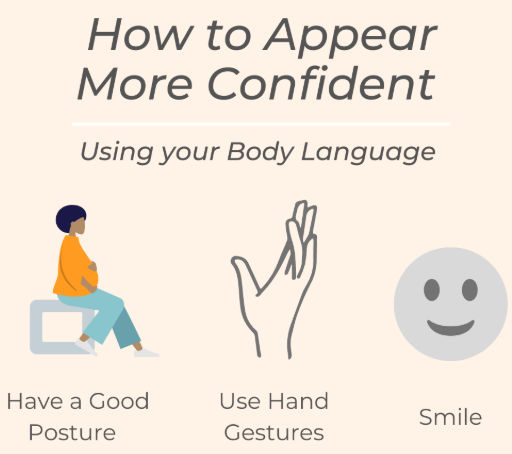
- Smile often. It makes you look approachable and confident.
- Sit or stand with good posture. Avoid slouching or leaning too close to the camera.
- Use hand gestures naturally. They add emphasis, but keep them within frame.
- Vary your tone and pace. Avoid monotone delivery; pauses highlight key ideas.
When combined with strong visuals, your voice and body language will carry your message more powerfully.
8. Enjoy the Experience
Finally, remember to enjoy presenting. Nervousness is normal, but enthusiasm is contagious.
- Speak with passion for your subject.
- Relax and smile — it puts both you and your audience at ease.
- End with something memorable: an inspiring quote, a call to action, or even a short video that ties everything together.
When you enjoy yourself, your audience will too.
Final Thoughts
Delivering a great virtual presentation takes more than just clicking through slides. It requires preparation, attention to detail, and a focus on keeping your audience engaged despite the distance.
By choosing the right environment, mastering your tech, organizing your resources, and adding interactivity, you can deliver online presentations that feel polished and professional.
And remember, you don’t have to do it all manually. Tools like AI PPT Generator can streamline your preparation by creating organized, visually compelling slides, so you can focus on what matters most: engaging your audience and delivering your message with confidence.
With the right approach, your next virtual presentation won’t just be good — it will be unforgettable.